
How to make use of Agent Skills
April 12, 2026Learn how agent skills work, how they differ from agent files, and how to use them for reusable AI workflows.
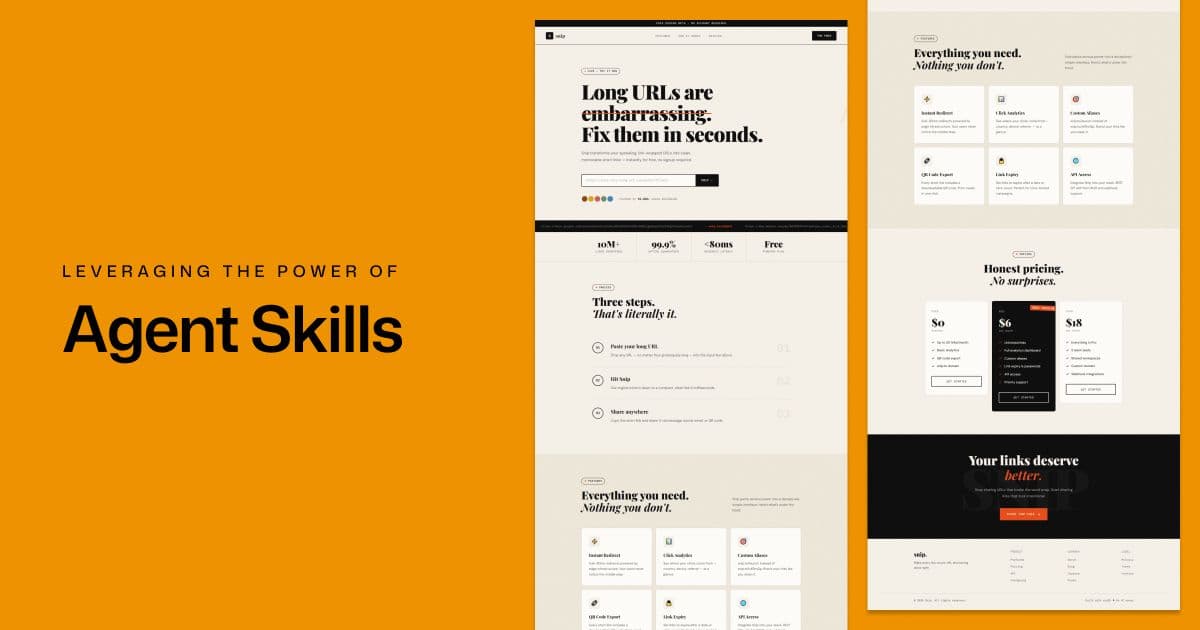
We have come a long way in the world of AI. We've seen chat-based interfaces, MCP servers, and agent markdown files (AGENTS.md, CLAUDE.md). Now, we have a new concept called agent skills.
What are agent skills?
Claude's initiative, Agent Skills, refers to special markdown files that extend an agent's capabilities. They provide domain-specific knowledge to an agent and can be reused across projects to supply context and best practices.
How are skills different from regular MD files?
Unlike regular agent files like AGENTS.md and CLAUDE.md, which are referenced on every prompt to provide context, skills are loaded on demand when needed.
They don't provide full project context like regular agent files. Instead, they are used for domain-specific tasks such as:
- Design guidelines for creating unique frontends
- Following React best practices when writing code
- Automating document workflows with specific formatting rules
- etc.
Skills are also portable, you don't need to provide the same guidelines or best practices to your agents in every project. Instead, you can reuse the same SKILL files across projects and they will work out of the box.
And crucially, they're cross-platform: the same SKILL.md format works across Claude Code, Cursor, Gemini CLI, Codex CLI, Antigravity IDE, and more.
Learn how Skills compares to prompts, Projects, MCP, and subagents on the Claude blog.
How to create agent skills?
- Visit skills.sh, the open agent skills ecosystem backed by the VoltAgent/awesome-agent-skills community repository.
- Browse and find the skill you need.
- Copy and run the installation command.
- Choose the installation scope: Global or Project specific.
Or you can manually create skill files yourself by following the folder structure below.
The folder structure
Here's how agent skills are installed in your project:
root/
  ├── .agents/
  │   └── skills/
  │       ├── frontend-design/
  │       │   ├── LICENSE.txt
  │       │   └── SKILL.md
  │       ├── composition-patterns/
  │       │   ├── LICENSE.txt
  │       │   ├── SKILL.md
  │       │   └── metadata.json
  │       └── react-best-practices/
  │           ├── LICENSE.txt
  │           └── SKILL.md
  ├── /public
  ├── /src
Each skill folder commonly includes a SKILL.md file, which is the only required file. Other files like scripts and templates are optional.
Breaking down the SKILL.md structure
Here is the basic structure of a SKILL.md file according to Claude's documentation:
---
name: my-skill-name
description: A clear description of what this skill does and when to use it
---

# My Skill Name

[Add your instructions here that Agent will follow when this skill is active]

## Examples

- Example usage 1
- Example usage 2

## Guidelines

- Guideline 1
- Guideline 2
If you want to dive deeper into the structure of a SKILL.md file, you can refer to the official Claude documentation.
You don't always have to create SKILL files yourself, you can also use ones from open-source GitHub repositories or the skills marketplace.
Security warning: always inspect skills before installing
Before blindly installing skills from the internet, be aware: a February 2026 Snyk audit of publicly available skills found that over 36% had at least one security flaw, and 13.4% had critical issues including malware distribution, prompt injection attacks, and exposed secrets.
Always inspect the contents of a SKILL.md file and any bundled scripts before installation, treat community skills like any open-source code.
How to use agent skills in your projects?
Let's create a landing page for a custom SaaS using the frontend-design skill from Claude Code.
We'll use Antigravity as our IDE with the model Claude Sonnet 4.6 (Thinking). Since we are using a skill designed for Claude, using a Claude model makes more sense.
Pro tip: When working with the frontend-design skill from Claude Code, I recommend using a Claude model for better output.
Step 1: Adding a SKILL file to your project
Using the skills CLI:
npx skills add https://github.com/anthropics/skills --skill frontend-designStep 2: Prompting the agent to perform the task
Let's ask it to build a landing page for a URL shortener app:
I built a URL shortener web application where users can convert long URLs into short, shareable links. I want to generate a landing page to promote this app.
Here's how the agent began processing the request:
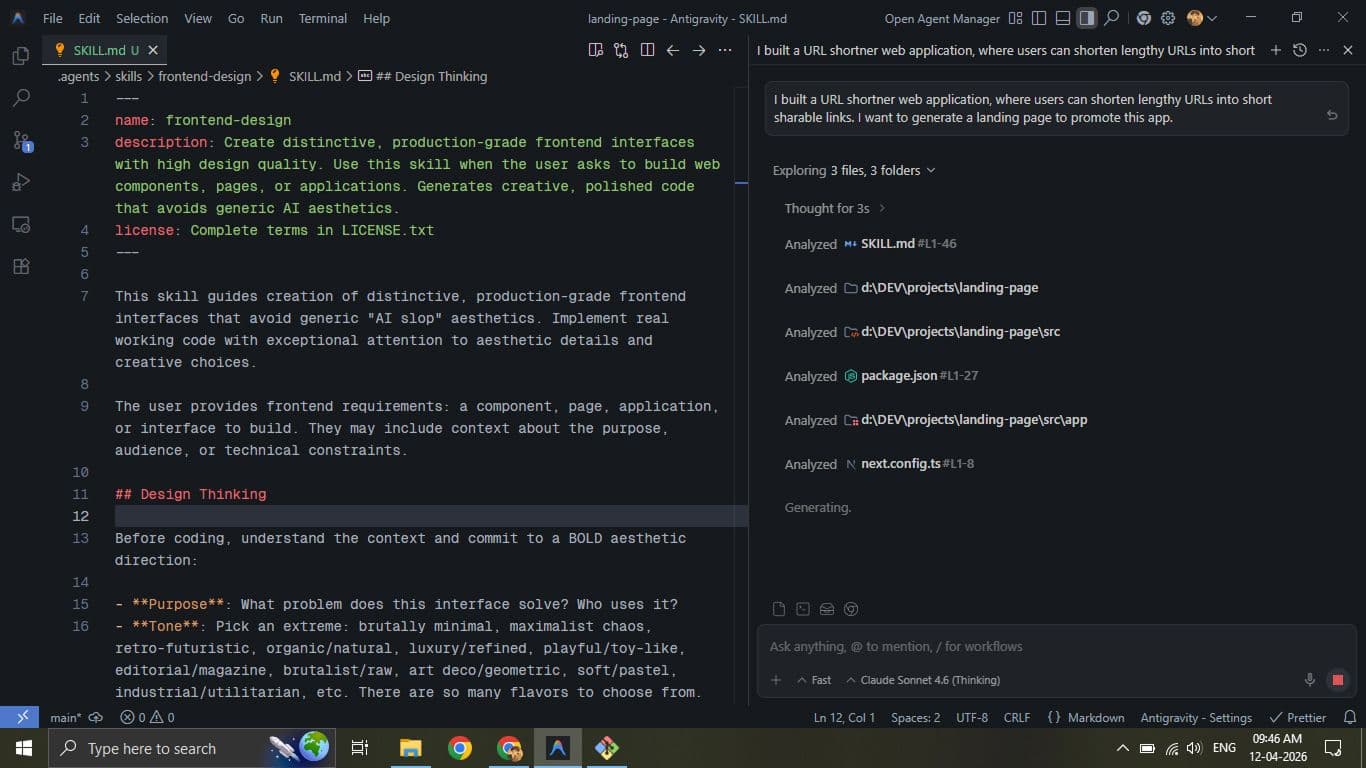
Notice here the agent first referenced the SKILL.md file before generating any output.
Here's the chat response:
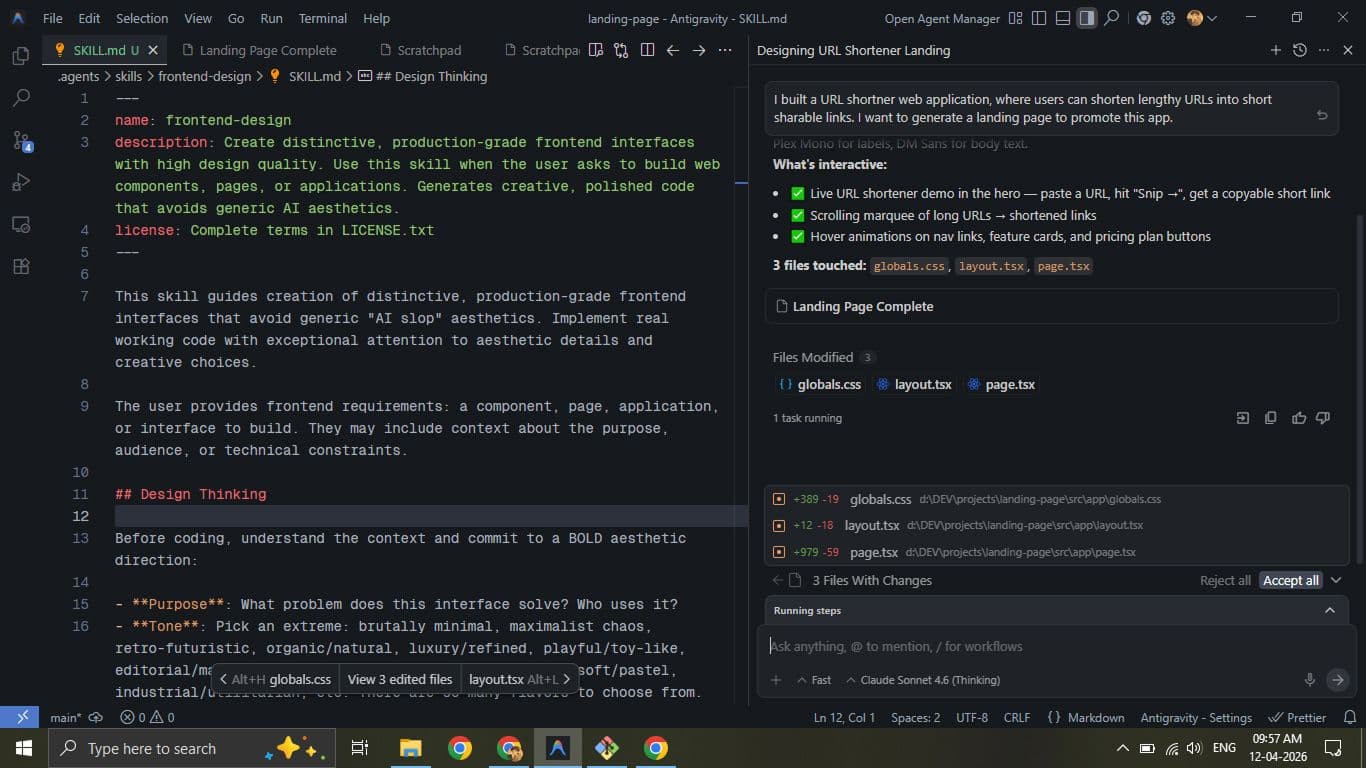
And here's the generated landing page:
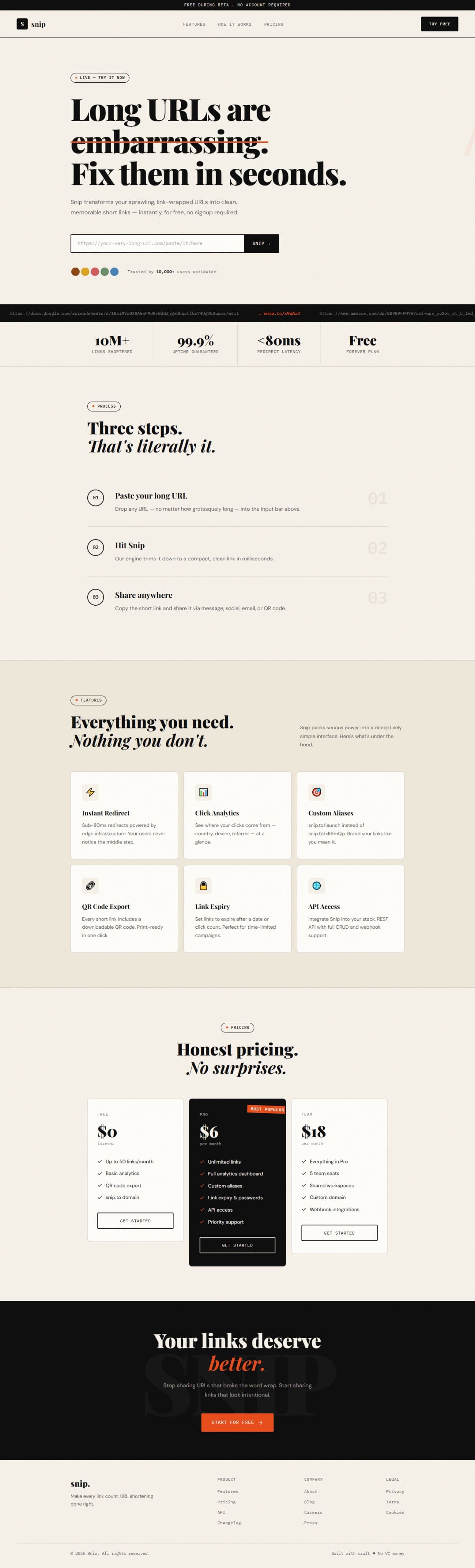
You can explore the source code and view the live preview of this output.
Remarks
Design: I found it to be a solid homepage design and a good starting point for many developers.
Responsiveness: The page worked well on desktop and tablet devices, but it was not as polished on mobile.
Code quality: Since the skill file didn't specify using React and Tailwind, the agent generated everything in a single page.tsx file with inline styling.
Despite these limitations, the result was quite good for a first attempt without modifying the skill file. With better instructions, you can easily guide the agent to follow your preferred coding style.
Conclusion
Agent skills can significantly improve how we guide agents for domain-specific tasks. The ecosystem is evolving fast, from Anthropic's official skills to thousands of community contributions compatible across every major AI coding tool.
While frontend design often requires iterations, other skills like react-best-practices or deployment-guides can produce excellent results right out of the box.
Just remember to always review skill files before installing, especially in environments with access to sensitive data or credentials.
I hope this post helped you understand how to leverage agent skills. If you have any suggestions or improvements, feel free to share them.
Happy Coding!