
contrast-color() in CSS
May 26, 2026Learn how the new CSS contrast-color() function automatically chooses readable text colors based on the background.
The new contrast-color() function in CSS is now a Baseline feature, which means you can use it in modern browsers without worrying much about support.
It automatically returns a readable contrasting color for a given input color.
contrast-color(blue);   /* white */
contrast-color(yellow); /* black */
contrast-color(var(--color-primary));
In simple terms:
- Dark backgrounds →
white - Light backgrounds →
black
This becomes especially useful when colors are dynamic or user-defined.
Example
Suppose a button receives its background color from a CSS variable.
button {
  color: black;
  background-color: var(--btn-bg);
}
The Problem
If --btn-bg contains a light color like yellow or pink, the black text remains readable.
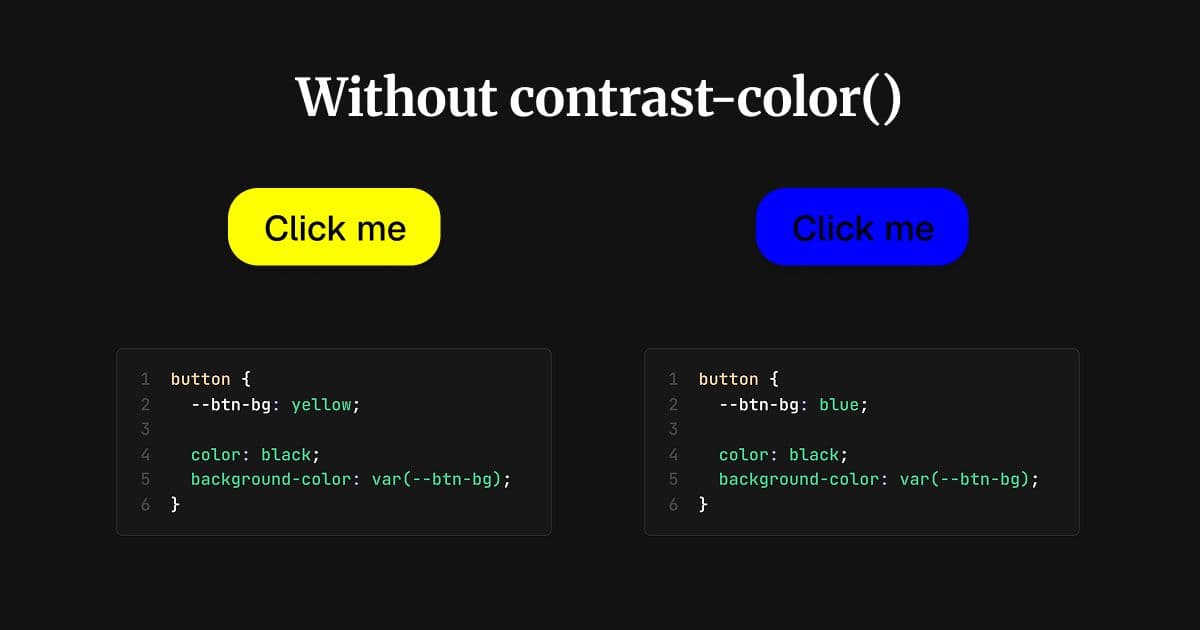
But if the background becomes a darker color like blue or green, the text may lose readability and create accessibility issues.
The Fix
Using contrast-color() allows CSS to automatically choose a readable text color.
button {
  color: contrast-color(var(--btn-bg));
  background-color: var(--btn-bg);
}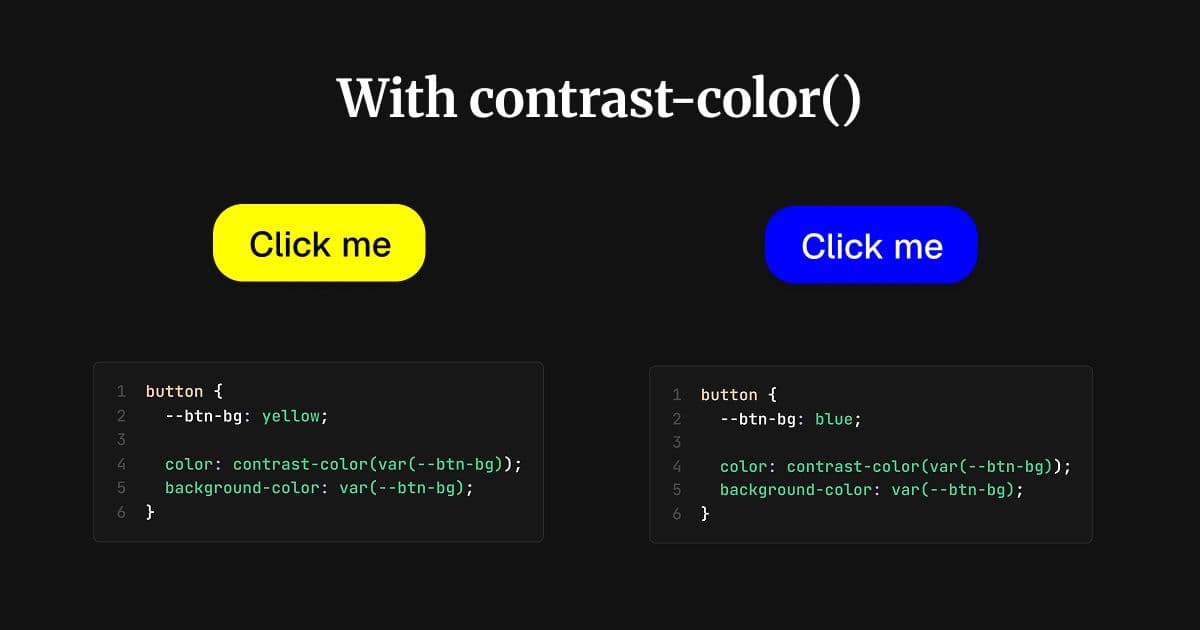
Now the text color updates automatically:
- White text for darker backgrounds
- Black text for lighter backgrounds
This makes components more flexible and accessible without manually managing color combinations.
Caveats
contrast-color() works well for clearly light or dark colors, but it can sometimes produce less ideal results for mid-tone colors.
So while it's a great utility for many use cases, you may still want to manually test important UI elements for accessibility and contrast compliance.
Learn More
Read the official MDN documentation:
Happy Coding!